How to Clean Text Marks From Photos You Own
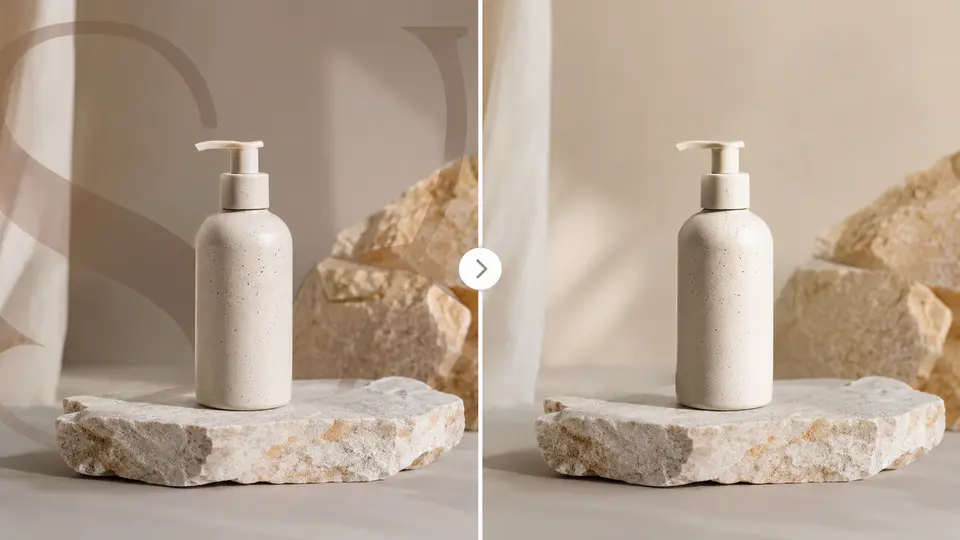
Sometimes you may need to clean a mark from a photo you own: a date stamp from an old camera, a draft label from your own design, or a text mark added to a copy when the original file was misplaced. That kind of cleanup is different from removing copyright or creator marks from someone else’s image.
Only edit images you own or have permission to edit. Do not remove copyright watermarks, stock-photo previews, creator credits, or ownership marks from images that are not yours. For permitted cleanup, use the Imgkits text remover for text marks or the inpaint tool for selected image repairs.
Before You Remove a Mark Check Permission First
- Is this your own photo or design?
- Did you add the mark yourself?
- Do you have written or clear permission from the image owner?
- Is the mark a temporary label rather than a copyright or ownership notice?
If the answer is no, do not remove the mark. Find a licensed version of the image, contact the owner, or use your own photo instead.
How to Clean a Text Mark From a Photo You Own
- Open the Imgkits text remover.
- Upload the image you own or have permission to edit.
- Highlight the date stamp, draft label, or text mark.
- Run the cleanup and preview the repaired area.
- Use smaller selections if the first pass looks blurry or uneven.
- Download the cleaned copy and keep the original file.
When to Use Text Remover or Inpaint
| Situation | Tool | Best Practice |
|---|---|---|
| Date stamp or text label | Text remover | Select only the text area and preview the repair. |
| Mark over a simple background | Text remover or inpaint | Use small passes for a cleaner blend. |
| Scratch or non-text defect | Inpaint | Repair the selected area using surrounding details. |
| Copyright or creator watermark | Do not remove | Get permission or use a licensed image. |
Tips for Cleaner Repairs
- Zoom in before selecting the mark.
- Cover the whole mark but avoid selecting too much surrounding detail.
- Repair complex marks in multiple small passes.
- Check straight lines, faces, texture, and repeated patterns after cleanup.
- Keep the original file so you can redo the edit if needed.
Better Alternatives When You Do Not Have Permission
- Buy or download the licensed image from the original source.
- Ask the creator for a clean version.
- Use your own photo and edit that instead.
- Choose a royalty-free or properly licensed replacement image.
FAQ
Can I remove a watermark from any photo?
No. Only clean marks from photos you own or have permission to edit. Do not remove ownership or copyright marks from someone else’s work.
What if I added the mark myself?
If you own the image and added the mark yourself, cleanup is usually appropriate. Keep the original version if you still have it.
Why does the repaired area look blurry?
The selection may be too large or the background may be complex. Try a smaller selection and repair the area in steps.
Final Thoughts
Responsible mark cleanup is about restoring images you are allowed to edit, not bypassing ownership. Use precise selections, review the result carefully, and choose licensed images whenever a mark belongs to someone else.